Query Equivalence
Concept. Two queries are query-equivalent (or just equivalent) if they return the same result for every input allowed by the schema. Two queries are output-equivalent if they return the same result on the current database state.
Intuition. Different SQL can express the same rule. Matching answers on one dataset does not show that the rules are the same.
Important: Query Equivalence vs Output Equivalence
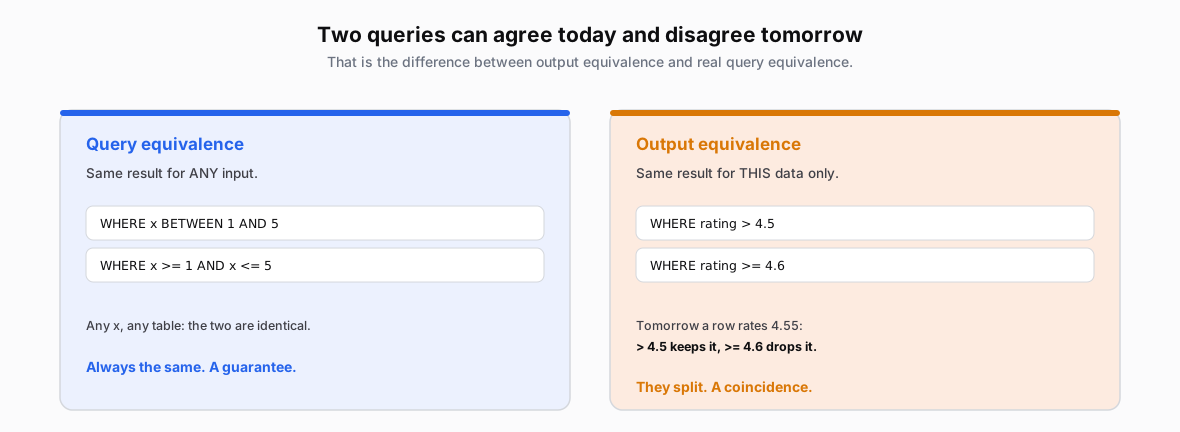 Figure: Query equivalence vs output equivalenceQuery equivalence: the same result for every valid input, like WHERE x BETWEEN 1 AND 5 versus x >= 1 AND x <= 5. Output equivalence: the same result on this data only, like WHERE rating > 4.7 versus rating >= 4.9, which agree until a row rates 4.8.
Figure 1. rating > 4.7 and rating >= 4.9 agree on today's ratings but disagree on 4.8, a valid DECIMAL(2,1) rating. One such input disproves query equivalence.
Do These Two Queries Mean the Same Thing?
One valid counterexample disproves equivalence. To prove it instead, explain why both queries return the same result on every valid input, because the table can hold any of them tomorrow.
To find a counterexample, compare Query A and Query B in the three places below. Test them on the inputs where two versions of a query most often disagree: a tie, a NULL, a repeated value, or a missing match.
-
Row values: What does each row represent, and do both compute the same values? Follow joins, groups, counts, and averages.
-
Filters: Do both keep the same rows or groups? Compare the conditions, including NULLs and thresholds.
-
Output: Do both return the same columns, values, and duplicate counts? Check
DISTINCTand any required ordering.
Example 1: Users Who Listen to Multiple Genres
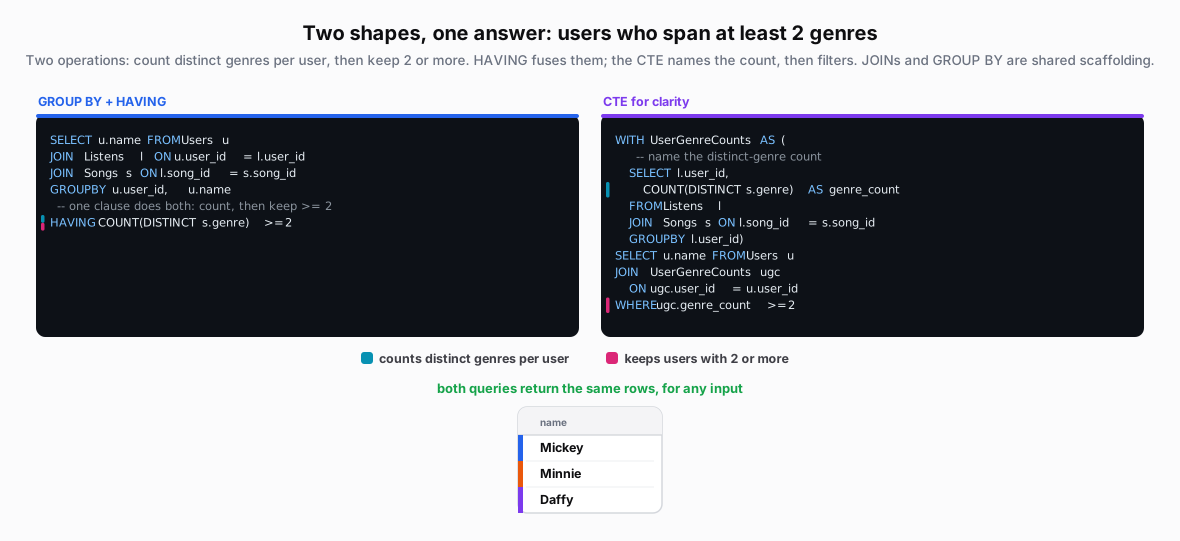 Figure: Query-equivalent: users who span at least 2 genresBoth count distinct genres per user, then keep counts of at least two. They are query-equivalent: the same result for every input allowed by the schema.
| name |
|---|
| Mickey |
| Minnie |
| Daffy |
Figure 2. Both queries count each user's distinct non-NULL genres and keep counts of at least two, so they agree on every valid input, not just today's data.
Example 2: Ratings Above Each User’s Personal Average
Find each user’s ratings above their personal average, and return the user’s name with each qualifying rating. DISTINCT keeps each name-rating pair once, even if several listens have that rating.
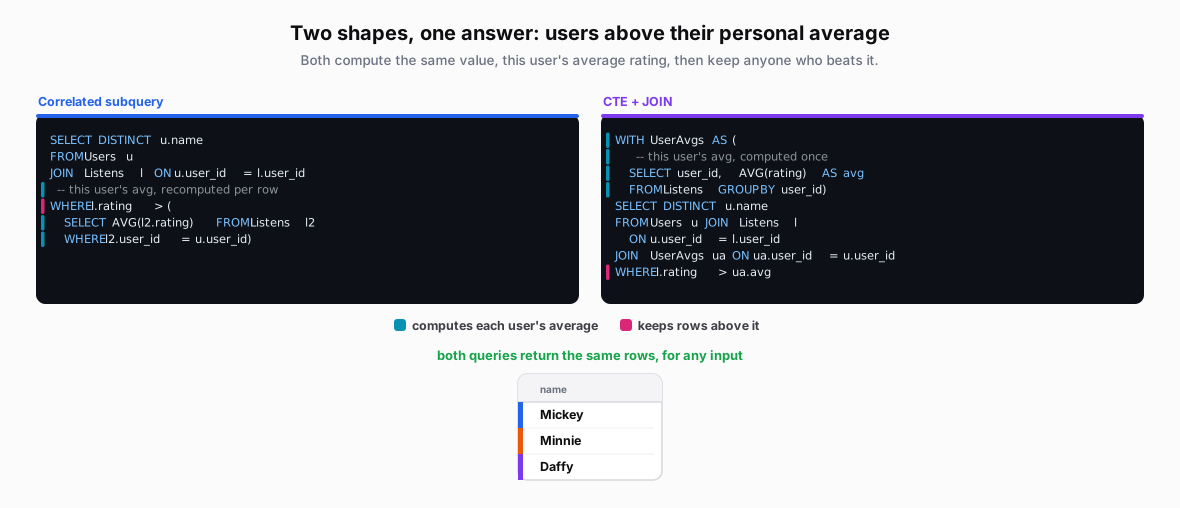 Figure: Query-equivalent: ratings above each user's personal averageBoth return name-rating pairs where the rating exceeds that user's average. They are query-equivalent: the same result for every input allowed by the schema.
| name |
|---|
| Mickey |
| Minnie |
| Daffy |
Figure 3. Both return distinct name-rating pairs where the rating exceeds that user's average. The correlated subquery and CTE compute the same average, so the queries agree on every valid input. NULL ratings never pass >; users with no rated listens never appear.
Example 3: Top 3 Songs per User
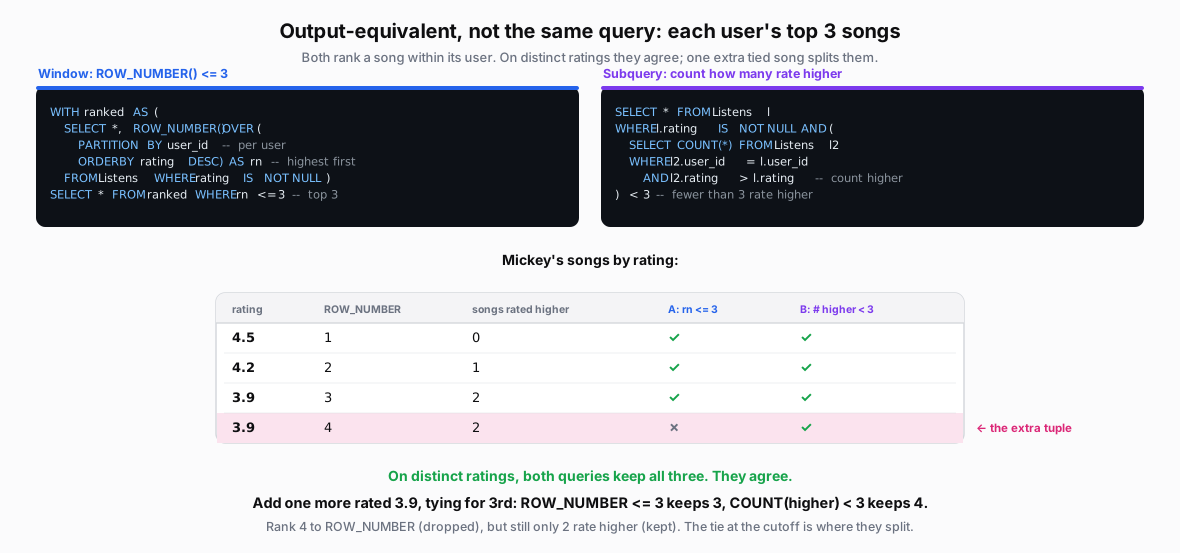 Figure: Top 3: output-equivalent today, not query-equivalentTwo queries for each user top 3 songs: ROW_NUMBER() less-equal 3, and a correlated subquery keeping songs with fewer than 3 rated higher. On distinct ratings both keep 3. Ignoring the extra rn column, compare selected listens. Add a tied 3.9: ROW_NUMBER keeps 3 rows (either tied listen can be omitted); the count query keeps 4. The tie at the cutoff is where they diverge.
| rating | ROW_NUMBER | songs rated higher | A: rn <= 3 | B: # higher < 3 |
|---|---|---|---|---|
| 4.5 | 1 | 0 | ✓ | ✓ |
| 4.2 | 2 | 1 | ✓ | ✓ |
| 3.9 | 3 | 2 | ✓ | ✓ |
| 3.9 | 4 | 2 | ✗ | ✓ |
Figure 4. On Mickey's three distinct ratings, both queries keep all three. Add a second 3.9 and they split: the window query keeps three, the count query keeps four. Compare only the Listens columns; the window query also returns rn.
Both exclude unrated listens, but they handle ties differently:
-
ROW_NUMBER: keep positions 1 to 3, so at most three listens survive per user.
-
Count higher ratings: keep listens with fewer than three strictly better ratings. Tied listens can all qualify.
Without a tiebreaker, either tied listen can receive position 4. This one valid input disproves query equivalence.
Takeaway
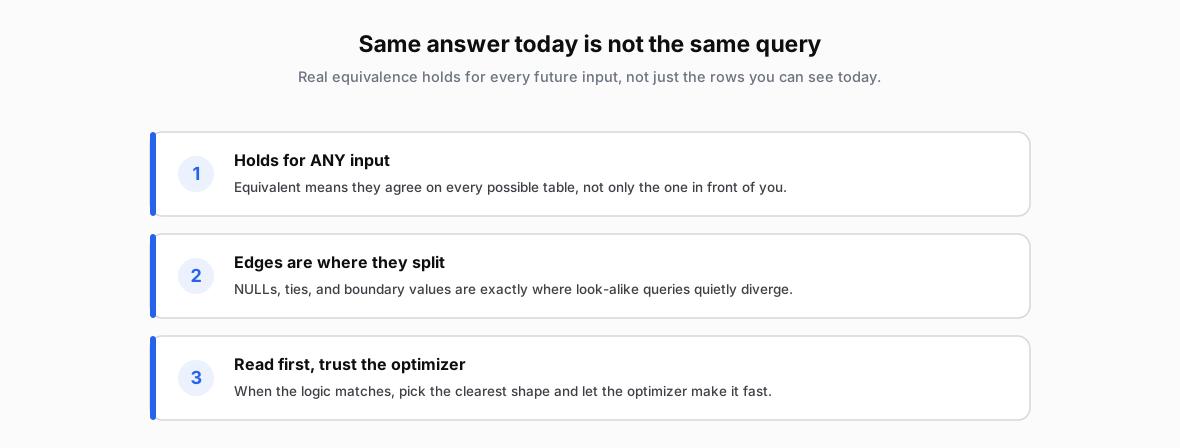 Figure: Output equivalence and query equivalenceOutput-equivalent: same result on this database. Query-equivalent: same result on every database allowed by the schema. One valid input with different results disproves query equivalence.